

Picture a small business owner – let’s call her Maria, who runs a boutique furniture shop – sitting across from two developers. One says “just use WordPress, it’s quick and cheap.” The other says “build it custom, you’ll thank me in three years.” Both are right. Both are also only telling half the story. The wordpress vs custom development decision isn’t about which technology is objectively better – it’s about matching the tool to what your business actually needs to do, now and in eighteen months’ time.
Here’s the practical impact for anyone weighing this up right now: choosing wrong doesn’t just waste money on the build – it creates a maintenance headache that compounds every year you leave it unfixed. Get the decision right at the start, and everything downstream gets easier.
Prerequisites

Image: The Art Institute of Chicago (via IIIF open-access image, used as og:image by Manole24)
Before you can make this call sensibly, you need three things sorted: a rough budget range, a clear list of what the site must actually do (not just “look nice”), and an honest estimate of how much it needs to scale. If you can’t answer “how many users in three years?” even approximately, stop and answer that first – it changes everything else.
Step 1: Understand what WordPress actually gives you
WordPress is a content management system (CMS) – software designed for publishing and administering content without a developer touching code every time you add a page. It works for blogs, corporate sites, presentation sites, online publications, portfolios, and full online stores.
The appeal is straightforward: most of what a website needs already exists out of the box. Page creation, article publishing, image uploading – these don’t have to be built from scratch, which is exactly why WordPress became the default starting point for so many businesses. If you’re setting one up for the first time, our beginner’s guide to WordPress walks through the practical steps.
Step 2: Know what “professional WordPress” really involves
Myth: WordPress is the cheap, quick, slightly amateur option. Reality: in a properly run WordPress project, the platform is only the foundation. The result still depends on architecture, design, implementation, hosting, security, and optimisation – the same disciplines that go into any serious build.
Done well, a WordPress project can include custom design, a responsive structure, SEO-optimised pages, a blog, forms, external integrations, booking systems, WooCommerce for online sales, user areas, analytics integration, and simple content administration your team can manage without calling a developer every week. That’s not a compromise – that’s a legitimate business tool.
Step 3: Understand what custom development buys you
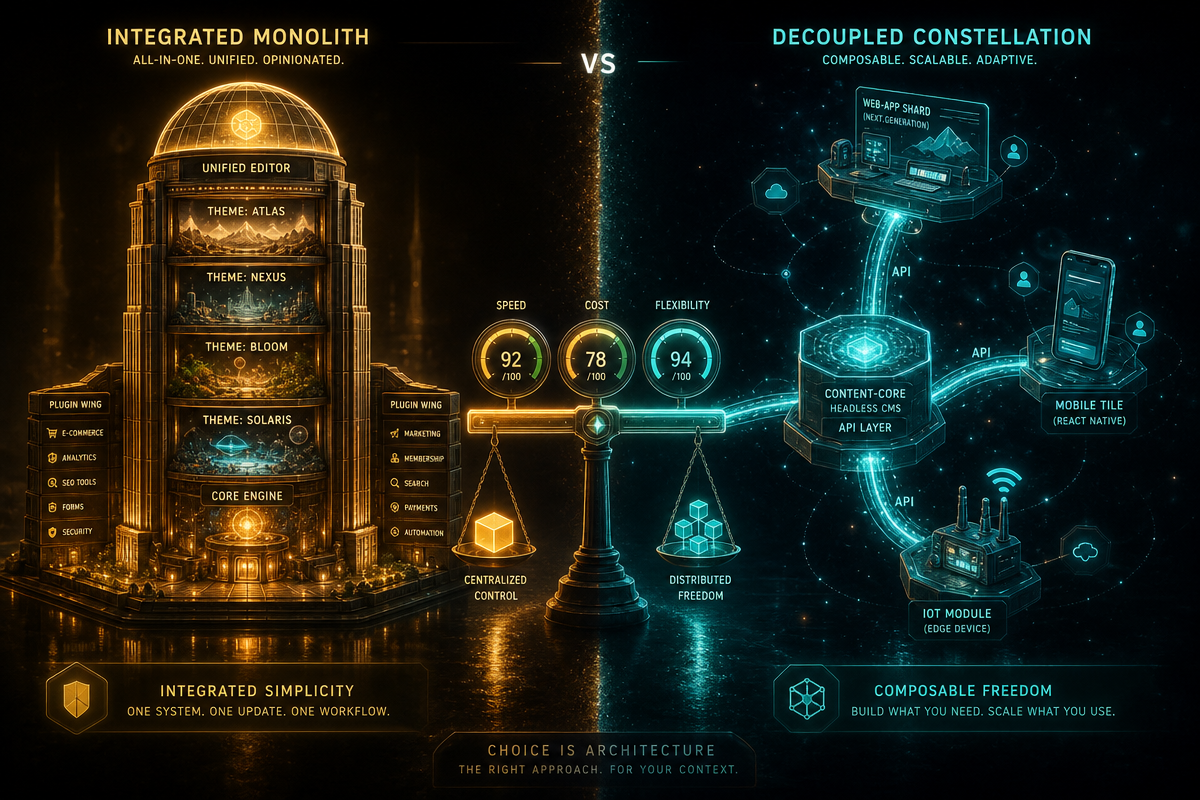
Custom development means building software around your project’s specific requirements, typically on frameworks such as Laravel, Symfony, Django, or Node.js. There’s no pre-built plugin ecosystem doing the heavy lifting – your team writes the logic.
The trade-off is worth it when control matters more than speed. With custom development, your team decides exactly how the database, authentication, user permissions, APIs, internal processes, automations, admin interface, external integrations, and business flows behave. Nothing is bent to fit someone else’s plugin architecture. If your product involves scraping, syncing, or processing data at scale, it’s also worth reading our comparison of web scraping in PHP versus Python for a sense of how backend choices ripple through a custom build.
Step 4: Match the technology to the business, not the trend
Neither option wins by default. The right technology choice depends on required functionality, who administers the site day to day, expected scale, and budget – not on which platform is more popular this year.
Think of it like transport: a presentation website for a local accountancy firm needs a reliable car, not a freight train. A CRM, SaaS platform, or marketplace serving thousands of concurrent users needs infrastructure built for that load from day one. Analyse the website’s actual role in your business before you pick a technology, not after. If your content strategy is the deciding factor, our piece on headless CMS versus WordPress is a useful next stop.
Troubleshooting
“We chose WordPress and it’s now slow and fragile under load.” This usually means the site outgrew its original scope – too many plugins patched onto requirements WordPress was never designed for. A partial custom rebuild of the problem areas is often more cost-effective than starting over.
“We built custom and now every small change costs a developer day.” Common when the admin interface was under-invested in at the start. Budget for a proper CMS layer within the custom build, not just the customer-facing features.
“We’re not sure which we need.” Write down your three-year user number and your must-have integrations first – the answer usually falls out of those two facts alone.
Whichever path fits your business, the build quality matters more than the platform label. DRS Web Development builds custom websites and web applications for businesses of all sizes – if you’d like a second opinion on your project, get in touch for a free consultation.
Frequently Asked Questions
Q: Is WordPress or custom development cheaper?
A: WordPress is typically cheaper upfront because core publishing features already exist out of the box, while custom development costs more initially because everything is built to order – but the cheaper option can become expensive later if it doesn’t match your scale needs.
Q: Can WordPress handle an online store?
A: Yes – WordPress supports full online stores through WooCommerce, alongside blogs, portfolios, corporate sites, and presentation sites.
Q: What frameworks are commonly used for custom development?
A: Common frameworks include Laravel, Symfony, Django, and Node.js, chosen based on the team’s expertise and the project’s specific requirements.
Q: When does a business actually need custom development over WordPress?
A: When the project demands full control over database structure, authentication, user permissions, APIs, and business-specific workflows – typically the case for CRMs, SaaS platforms, or marketplaces handling significant user volume.
Q: Does choosing WordPress mean sacrificing quality or professionalism?
A: No – a professionally executed WordPress project includes custom design, SEO optimisation, integrations, and secure hosting; the platform is the foundation, not the finished product.
Source: https://manole24.ro/wordpress-sau-dezvoltare-custom-ce-alegi-pentru-afacerea-ta/
This article was researched and written with AI assistance, then reviewed for accuracy and quality. Riya Shah uses AI tools to help produce content faster while maintaining editorial standards.
Need help with your web project?
From one-day launches to full-scale builds, DRS Web Development delivers modern, fast websites.