

The first time a client asks you to preview a blog draft before it goes live, the platform you picked months earlier stops being an abstract decision and starts dictating your Tuesday afternoon. That’s the real headless cms vs wordpress split – not a philosophical debate about “modern” versus “legacy”, but a set of concrete trade-offs in editing workflow, hosting bills, and who on the team needs to know what. WordPress became the default CMS because it made publishing accessible to anyone with a browser; a headless CMS exists because that same accessibility eventually becomes an architectural constraint. Picking between them isn’t about which is “better” in the abstract – it’s about matching the platform to where a business actually is in its growth curve, and being honest about what each one costs you later.
The case for WordPress: proven, plugin-rich, fast to launch
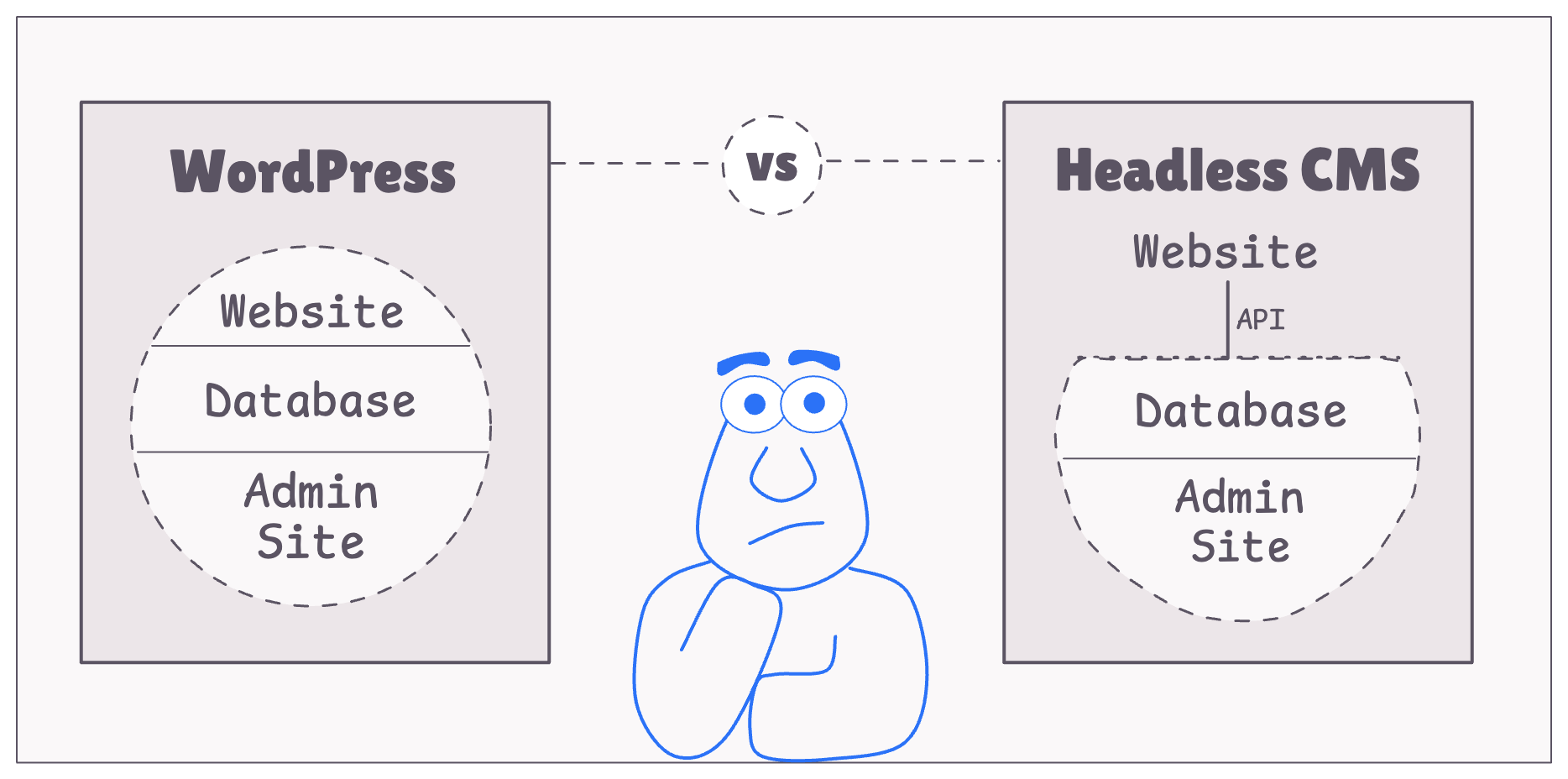
Image: GrowWild Agency (image hosted at punits.dev)
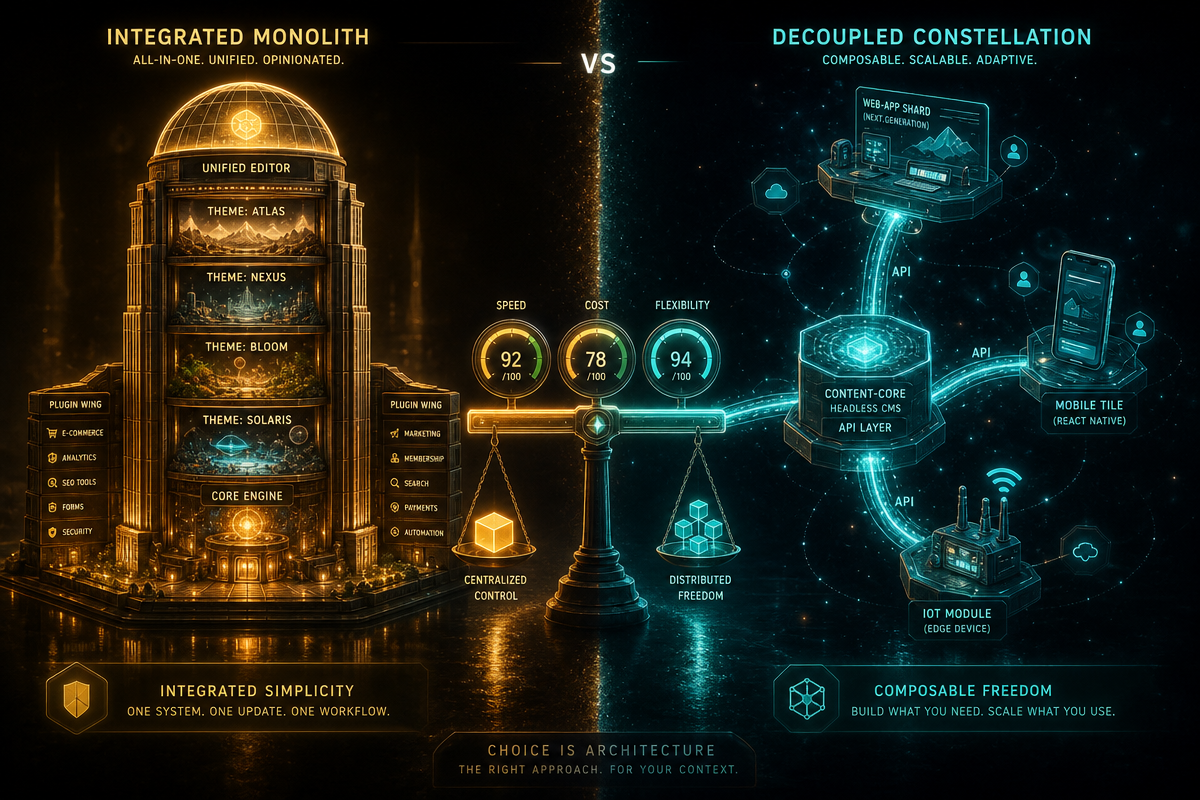
WordPress wins on speed to market and cost, full stop. It’s a monolithic CMS – meaning the back-end (content storage, business logic) and front-end (themes, templates, page rendering) live in one integrated system – so a developer can go from empty install to functioning site in an afternoon.
That integration is also why WordPress dominates: various market-share trackers put it at somewhere around 40-45% of all websites, consistently the largest share of any CMS in existence, though the exact figure moves depending on how “website” is counted. History explains the momentum – WordPress started life in 2003 as a blogging tool [citation needed], and its plugin architecture turned it into a general-purpose platform almost by accident. Today there are tens of thousands of plugins covering nearly anything a site might need without writing custom code: Yoast for SEO, WooCommerce for e-commerce, Gravity Forms for contact handling. For a small business or a startup validating an idea, that ecosystem is the whole appeal – you’re assembling a website from parts, not engineering one from scratch. If a client wants to be live in a week with a shop, a blog, and a contact form, WordPress is still the pragmatic answer, and our guide on how to create a WordPress website covers exactly that path.
The case for headless: built for scale, speed, and multi-channel delivery
A headless CMS answers a different question: how do you keep content flexible as a business’s channels multiply? Here the back-end and front-end are deliberately split apart, with content delivered via API rather than baked into server-rendered pages.
That single change has real consequences. Because content lives independently of presentation, one content source can feed a website, a mobile app, an in-store kiosk, or a voice assistant simultaneously – multi-channel by default, not by retrofit. Front-ends get built with modern frameworks like Next.js, Nuxt, Astro, or Svelte, either pre-rendered as static pages or server-rendered on demand, which tends to produce faster load times than a comparable WordPress build, particularly on media-heavy pages. There’s a plausible security benefit too: with no public-facing CMS admin panel and no plugin stack sitting on the live site, there’s less surface exposed to opportunistic scanning – though a headless stack still has its own risk surface in the API layer and the front-end hosting, so “headless” isn’t a synonym for “unhackable”. That’s relevant reading if your organisation also has to think about accessibility compliance obligations as part of a rebuild. For a business scaling into new channels, or one that’s outgrown what plugins can comfortably handle, headless is a defensible architecture – not because WordPress is broken, but because the split buys you options WordPress structurally can’t offer.
Head-to-head: where the trade-offs actually bite
Myth: WordPress is “just” slow. Reality: WordPress performance tends to degrade under scale and traffic spikes, because every uncached page request can trigger PHP execution and database queries – caching plugins genuinely help, but as one industry analysis puts it, caching is “a Band-Aid on an architectural limitation” rather than a fix for the underlying request path. Plugins cut the other way as maintenance debt: they’re third-party maintained, and keeping fifteen to twenty of them updated and mutually compatible is a real ongoing task – security researchers consistently list outdated plugins and themes among the most common attack vectors on WordPress sites, though misconfiguration and weak credentials matter just as much in practice. Headless sidesteps both problems structurally, but it trades WordPress’s low barrier to entry for a requirement: a development team comfortable with APIs and a modern JavaScript framework. If your team already builds in Python or PHP, it’s worth comparing tooling trade-offs the way we did in our web scraping PHP vs Python breakdown – the underlying logic of “right tool for the job” applies just as much here.
Editorial workflow: who actually hits “publish”
This is the trade-off agencies underrate. In WordPress, an editor opens the block editor, sees a live preview that matches the published page pixel-for-pixel, and hits publish – no developer involved. In a headless setup, that same editor is typically working inside the CMS vendor’s own interface (Contentful, Sanity, Storyblok and similar all differ here), and “preview” only works if a developer has wired up a preview URL that talks to the not-yet-deployed front-end. Some headless CMSs now offer visual, in-context editing that closes this gap, but it’s a feature you have to shop for specifically, not something you get by default. So what does that mean day to day? A content team publishing several posts a week will feel WordPress’s directness immediately; a headless setup can slow that team down unless someone has invested in the preview tooling up front.
Total cost of ownership: it’s not just the licence
WordPress core and most plugins are free to install, but “free” doesn’t mean free to run – hosting, premium plugin licences, and the developer hours needed to keep everything patched all add up, and that maintenance burden scales with how many plugins the site is carrying. Headless flips the cost profile: many headless CMS platforms charge per seat or per API request once you’re past a free tier, and you’re paying separately for front-end hosting (Vercel, Netlify or similar) on top of the CMS bill. The bigger hidden cost is developer dependency – a WordPress site can often be handed to a junior developer or even a technically confident client for small changes, while a headless front-end usually needs someone who can work comfortably in the JavaScript framework it’s built on. For a five-year total cost of ownership comparison, that dependency is frequently the deciding line item, not the monthly hosting invoice.
So: pick WordPress when speed, budget, and plugin coverage matter most, and when non-technical staff need to publish independently – most small business sites, brochure sites, and early-stage e-commerce fit this. Pick headless when you’re building for scale, multiple channels, or performance is a competitive differentiator, and you’re prepared to invest in preview tooling and a JS-capable team – content-heavy platforms, apps with a CMS-fed front-end, or teams already invested in modern tooling. The honest answer depends on content needs, technical resources, editorial habits, and growth plans, not platform loyalty.
DRS Web Development builds custom websites and web applications for businesses of all sizes – whether that means a fast WordPress build or a fully headless architecture. Get in touch for a free consultation and we’ll help you work out which fits.
Frequently Asked Questions
Q: What is the main difference between a headless CMS and WordPress?
A: WordPress is monolithic, meaning content storage and front-end presentation are combined in one system, while a headless CMS separates them and delivers content via API to any front-end you choose.
Q: Is WordPress still a good choice in 2026?
A: Yes, for businesses that need to launch quickly and affordably, want non-technical staff to publish independently, and are happy with a broad plugin ecosystem rather than custom-built tooling.
Q: Does a headless CMS make previewing content harder for editors?
A: Often, yes, unless the CMS vendor’s visual preview tooling has been set up in advance – WordPress’s editor shows a pixel-accurate preview by default, while headless previews usually need a developer to wire up a link to the not-yet-deployed front-end.
Q: Is a headless CMS definitely more secure than WordPress?
A: It removes one common attack path – the public plugin stack – but it isn’t automatically more secure overall, since the API layer and front-end hosting introduce their own risks that need proper configuration.
Q: Which platform costs less to run long-term?
A: It depends on team skills as much as licence fees – WordPress can shift small changes to non-specialist staff, while headless usually needs an ongoing JavaScript-capable developer, and that dependency often outweighs the difference in hosting costs.
Source: https://growwildagency.com/blog/headless-cms-vs-wordpress/
This article was researched and written with AI assistance, then reviewed for accuracy and quality. Riya Shah uses AI tools to help produce content faster while maintaining editorial standards.
Need help with your web project?
From one-day launches to full-scale builds, DRS Web Development delivers modern, fast websites.