
The moment your AI-assisted app freezes solid is the moment vibe coding stops paying dividends and starts collecting interest. That’s the real lesson from David Gewirtz’s recent account of building a Mac list manager app with Claude Code for roughly ten days straight – and it’s a lesson worth internalising before you hit it yourself, not after.
For developers, the practical impact is this: the honeymoon phase of AI-assisted coding produces working features at a rate that feels unearned, and that speed is exactly what buries the debugging problem until it can’t be ignored. You don’t get a warning shot. You get a spinning beachball.
Vibe coding, as a term, describes a specific workflow: you describe a feature in plain English, an AI coding assistant such as Claude Code writes the implementation, and a working feature shows up in minutes. Gewirtz, ZDNET’s senior contributing editor, described the early stretch of this process as “nothing short of magical.” That’s not marketing copy – it’s an accurate description of what it feels like to add capability after capability with almost no friction. The catch is what happens once the app has to handle something more demanding than a demo.
What actually went wrong
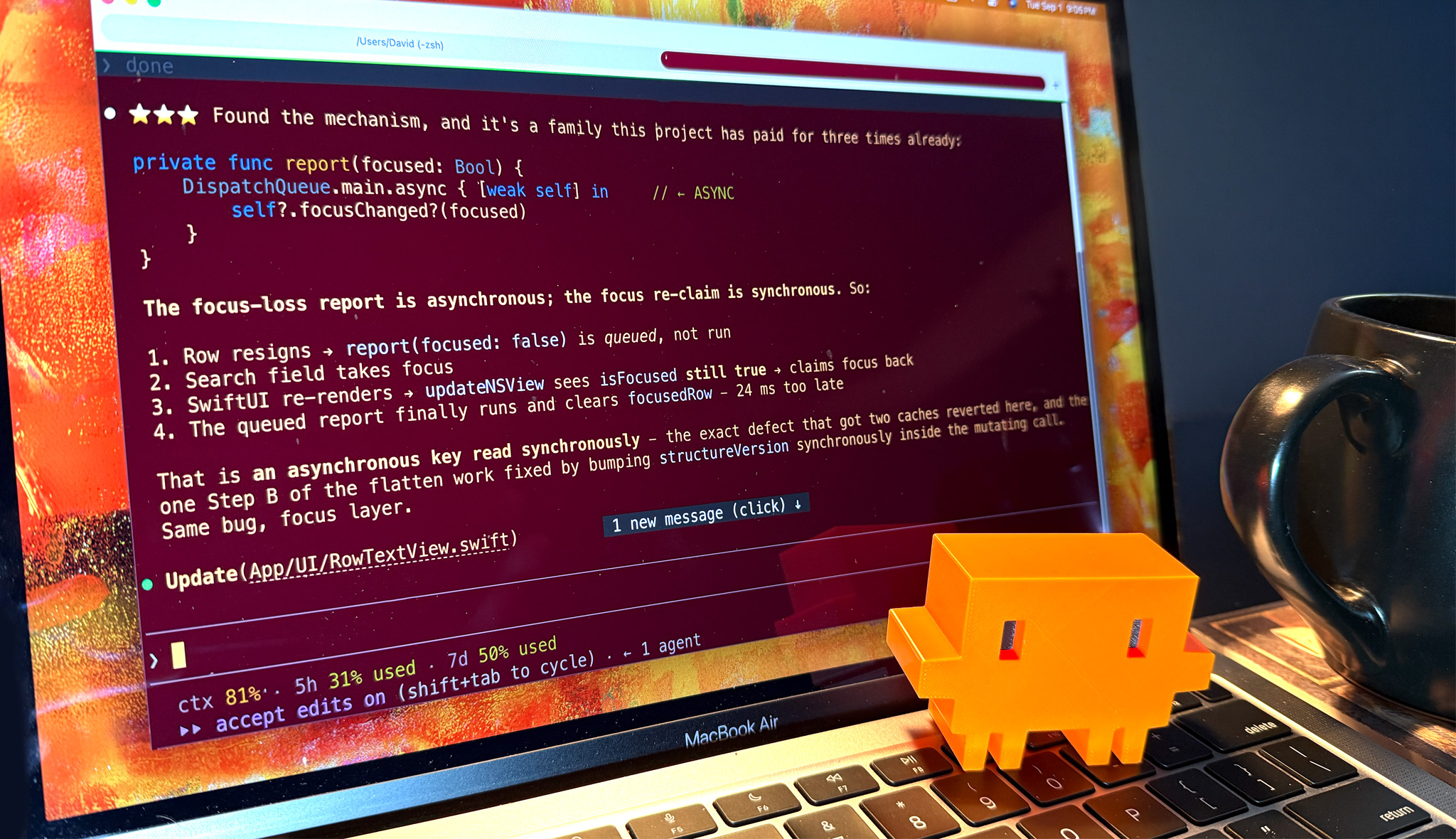
Image: ZDNET
Gewirtz spent about ten days adding features to his list manager, and each one arrived quickly enough that he kept going rather than stopping to check how any of it actually worked underneath. That’s a reasonable way to prototype. It’s a risky way to build something you intend to rely on, because nothing in the process forces you to confront the underlying data structures, threading model, or algorithmic complexity until they fail on their own terms.
Related ZDNET survey coverage reported that 80% of developers describe AI coding as more addictive than helpful. Treat that figure as directionally useful rather than precisely authoritative – it comes from self-reported survey data, not a controlled study, and “addictive” is doing a lot of subjective work in a question like that. Still, the underlying pattern lines up with Gewirtz’s own account: fast, frictionless wins make it easy to keep shipping features and easy to postpone the harder question of whether the app actually holds up.
The failure arrived when Gewirtz scrolled a fairly large list and the app produced the macOS Spinning Beachball of Death – total unresponsiveness, no error message, no stack trace. If you’ve shipped Mac software before, you know that cursor specifically means the main thread has stopped returning control to the operating system. Something is running synchronously that should have been asynchronous, and it’s blocking everything else the app needs to do, including redrawing the screen.
Not all bugs are the same problem
Here’s where it’s worth being precise, because lumping “bugs” together obscures the actual lesson. Simple bugs – a missing null check, an off-by-one loop, a misunderstood algorithm – are exactly what an AI coding assistant handles well. Paste the stack trace, describe the symptom, and you’ll often get a correct patch in one exchange. Budget an hour for these.
Performance bugs, memory pressure, and concurrency issues are a different category entirely. They don’t throw exceptions. They don’t produce a helpful log line. They show up as your app getting progressively slower until it stops responding, and by the time you notice, the AI has no error message to work from – only a vague complaint like “it’s slow now.” You might expect an assistant that can write a working sort function in ten seconds to diagnose a performance regression just as fast. It can’t, and that’s not a current limitation so much as a structural one: diagnosing performance requires evidence the assistant doesn’t have access to until you go and get it yourself.
Profile before you prompt
This is the step that’s easy to skip and expensive to skip. On macOS, that means opening Instruments – Apple’s built-in profiling tool – and running the Time Profiler against your app while you reproduce the freeze. It’ll show you which function is eating main-thread time, which is precisely the evidence an AI assistant needs to produce a useful fix instead of a guess.
Concretely: if scrolling a list triggers the beachball, the likely culprit is synchronous work happening on the main thread during a table view’s data source callbacks – sorting, filtering, or re-rendering happening inline rather than on a background queue with results dispatched back to the main thread afterwards. Instruments will confirm or rule that out in a few minutes of recording, which beats several rounds of “try this” from an assistant working blind.
Dataset size matters here more than most vibe-coded demos account for. A list manager tested against ten or twenty sample rows will never surface a quadratic sort or an unindexed lookup – it needs hundreds or thousands of rows before the cost curve becomes visible. If you’re building anything list- or table-based, test against a dataset an order of magnitude larger than what feels sufficient for a demo, well before you consider the feature done.
Rebuild the tests you skipped
Feature-first development produces a codebase with plenty of surface area and no safety net. The fix isn’t dramatic, but it is unglamorous: go back and write unit tests around the code the AI generated, particularly around data transformations and anything touching state that persists between actions. You’re not testing whether the AI wrote syntactically correct code – you’re testing whether the assumptions it made on day two still hold by day ten, after four more features have been bolted onto the same data model.
This is also a natural point to reconsider the data model itself. A structure that made sense for the first three features often buckles under the sixth, not because it was wrong, but because nobody – including the AI – was asked to plan for the sixth feature when the first one was being written. Gewirtz’s own conclusion lands here: AI accelerates feature-writing, but architecture, testing, and design require judgement calls about trade-offs that a language model can’t make on your behalf, because it doesn’t know your target hardware, your acceptable latency, or your real-world data shapes.
The trade-off you’re actually making
Vibe coding and production-grade engineering aren’t the same activity wearing different clothes – they optimise for different things. Vibe coding optimises for speed of iteration during the exploratory phase, when you’re still deciding what the app should do. Production work optimises for predictability under load, which requires profiling, test coverage, and architectural decisions that slow you down on purpose. Trying to get both from the same unbroken ten-day sprint is how you end up with a beachball instead of a feature.
The move isn’t to abandon AI-assisted coding once you hit that wall – it’s to treat the first burst of AI-generated features as a prototype, not a finished product, and to schedule profiling and test-writing as a distinct phase rather than an emergency response. Do it before something freezes, not after.
When to stop prompting and start profiling
Here’s the operating rule: the moment a bug can’t be described in a single sentence with a specific symptom – a missing field, a wrong value, a crash with a stack trace – stop prompting and start measuring. If you can’t point to the exact line or function causing the problem, the AI can’t either, and every prompt you send without that evidence is a guess dressed up as a fix.
Frequently Asked Questions
Q: What is vibe coding?
A: Vibe coding is a workflow where a developer describes a feature in plain English and an AI coding assistant, such as Claude Code, writes the implementation, letting apps take shape through conversation rather than manual coding.
Q: Why does vibe coding lead to a “debugging hangover”?
A: Vibe coding accelerates feature creation without requiring the developer to understand the underlying implementation, so structural problems like performance bottlenecks accumulate silently until they surface as serious, hard-to-diagnose bugs.
Q: Can AI fix all the bugs it introduces?
A: No. AI assistants handle simple bugs, such as missing checks or algorithmic misunderstandings, well, but stubborn performance, memory, and concurrency bugs require human profiling – using tools such as Instruments on macOS – hypothesis-testing, and architectural judgement.
Q: What caused the Spinning Beachball in Gewirtz’s project?
A: Scrolling a fairly large list triggered the macOS Spinning Beachball of Death, indicating the app’s main thread was blocked doing synchronous work it couldn’t handle at scale – a classic sign of an unaddressed performance bug.
Q: Is vibe coding sustainable for production software?
A: Except for the simplest apps, no – dependable software still requires architecture, testing, patience, and expertise that pure vibe coding doesn’t provide on its own, according to ZDNET’s reporting on the practice.
This article was researched and written with AI assistance, then reviewed for accuracy and quality. Nia Campbell uses AI tools to help produce content faster while maintaining editorial standards.
Need help with your web project?
From one-day launches to full-scale builds, DRS Web Development delivers modern, fast websites.

![GGUF Quantization: Shrink LLMs 72% in 12 Steps [2026]](https://drs-web.co.uk/wp-content/uploads/2026/09/promo-9.png)