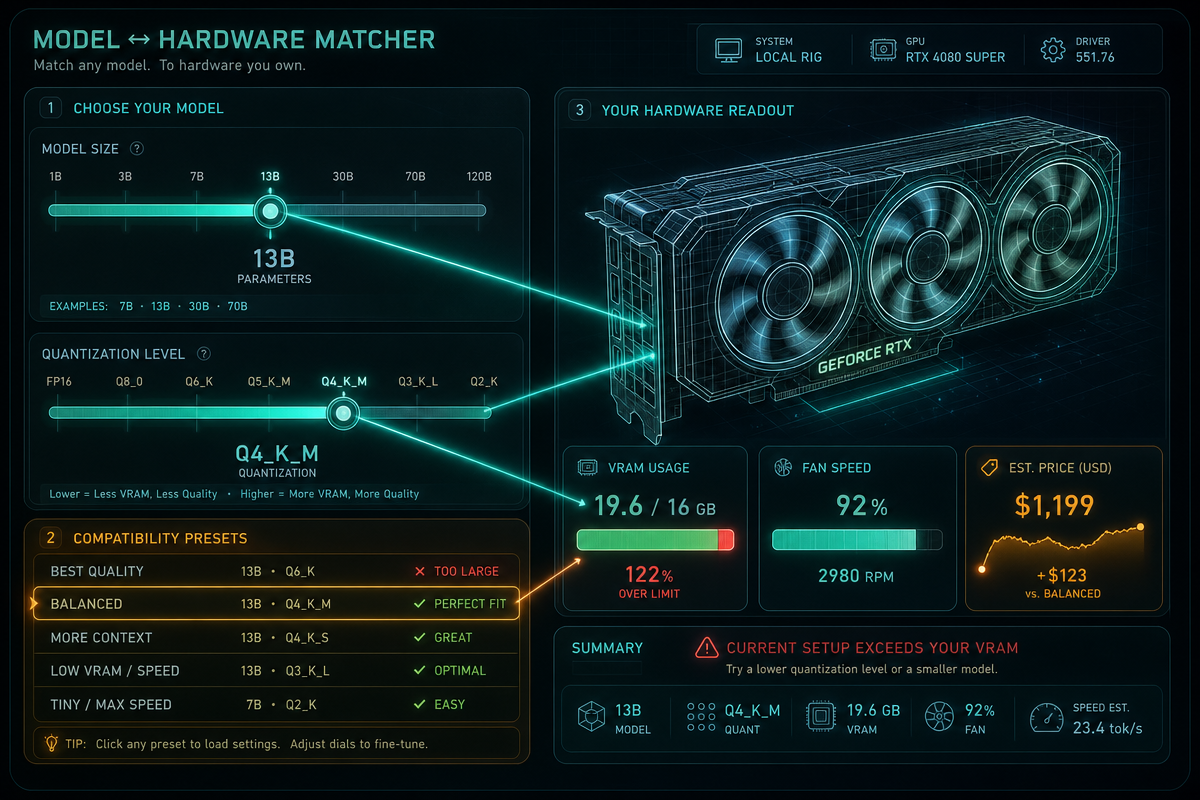

GGUF quantisation solves a specific problem: a checkpoint that trains beautifully on a data centre GPU cluster still refuses to fit on the 12GB or 16GB card sitting under your desk. Pick the right bit-depth and, done properly, you keep almost all the quality that made you want to run the model in the first place. The question practitioners actually ask isn’t “does quantisation work” – it’s “which of Q4_K_M, Q5_K_M, Q6_K or Q8_0 do I pick for my card and my workload.” This guide answers that with measured numbers, using the GGUF quantization pipeline built around llama.cpp – from raw Hugging Face weights to a working local server, in about 90 minutes.
Prerequisites
Image: Tech Insider
You’ll need a Linux or macOS machine (Windows via WSL works fine), a consumer GPU with at least 8GB of VRAM for reasonable speed, and roughly 30GB of free disk space for intermediate files. You should be comfortable with the command line and have git, python3, and a C++ compiler (gcc or clang) installed. No prior quantisation experience is assumed, but you should know what a model checkpoint and a tokeniser are. One caveat that applies to every command block below: llama.cpp ships frequent releases, and flag names occasionally change between them (-ngl became --n-gpu-layers, for instance, though the short form still works in most builds). Run any binary with --help first if a command below errors out – it’s almost always a renamed flag, not a broken pipeline.
What is GGUF and why does it matter?
GGUF is a single-file binary format that bundles a model’s weights, tokeniser and metadata together, so you can load it anywhere without hunting for config files. It’s the successor to the older GGML format, and it was built specifically to make local inference painless on CPU, Apple Silicon or GPU.
The format comes from the llama.cpp project, written by developer Georgi Gerganov as a lean C/C++ reimplementation of Meta’s original LLaMA inference code, with zero external runtime dependencies. That “no dependencies” detail matters more than it sounds: it’s why llama.cpp now sits underneath most of the popular desktop local-inference tools, including Ollama, LM Studio and Jan. When you use any of those, GGUF is almost certainly what’s loading under the bonnet.
Why quantise models yourself instead of downloading one?
Because waiting on someone else’s upload means waiting on someone else’s judgement calls. When a new open-weight model ships, quantised community versions typically appear within a few days – but you’re trusting a stranger’s calibration data and settings, particularly the importance matrix used to decide which weights matter most during compression. If your use case is a legal document assistant and their calibration set was general chit-chat, the quantisation will preserve accuracy in the wrong places.
Building your own GGUF files with your own calibration data closes that gap, and it’s genuinely not much extra work once you’ve done it once.
1. Build llama.cpp from source
git clone https://github.com/ggerganov/llama.cpp
cd llama.cpp
cmake -B build -DGGML_CUDA=ON
cmake --build build --config Release -j$(nproc)
Drop -DGGML_CUDA=ON if you’re on CPU only – the build will just take longer to run later, not longer to compile. If this fails on a fresh checkout, check the CMake option names against the current README first; GGML’s backend flags have been renamed more than once as new hardware targets (Vulkan, SYCL) were added.
Common mistake: forgetting -j$(nproc) and letting the build run single-threaded. On a modern machine that’s the difference between a 3-minute build and a 25-minute one.
2. Convert the Hugging Face checkpoint to GGUF
python3 -m venv .venv && source .venv/bin/activate
pip install -r requirements.txt
python convert_hf_to_gguf.py /path/to/hf-model \
  --outfile model-f16.gguf \
  --outtype f16
This step reads the Hugging Face safetensors files and repacks them, along with the tokeniser, into one f16 GGUF file. Nothing is compressed yet – this is your unquantised baseline, and you’ll want to keep it around for benchmarking later.
If you see a KeyError on an unfamiliar tensor name, it means the conversion script doesn’t yet recognise that model’s architecture. Check for an updated llama.cpp release before troubleshooting further – the script’s supported-architecture list grows with almost every release.
3. Generate an importance matrix from your own data
./build/bin/llama-imatrix \
  -m model-f16.gguf \
  -f your-calibration-data.txt \
  -o model.imatrix
This is the step that store-bought quantised models skip customising. The importance matrix tells the quantiser which weights contribute most to the output on text that actually resembles what you’ll run in production. Feed it a few hundred KB of representative text – your own documents, code, or chat transcripts – rather than a generic corpus, and the resulting quantisation protects the behaviour you actually care about.
4. Quantise to four bit-depths
for q in Q4_K_M Q5_K_M Q6_K Q8_0; do
  ./build/bin/llama-quantize \
    --imatrix model.imatrix \
    model-f16.gguf model-$q.gguf $q
done
These four levels span the practical range, and “Q4” doesn’t literally mean every weight is stored in 4 bits – the K-quant scheme mixes precision per tensor, which is why Q4_K_M consistently outperforms naive 4-bit rounding on quality.
Head-to-head: Q4_K_M vs Q5_K_M vs Q6_K vs Q8_0
Numbers below are from quantising Meta’s Llama 3.1 8B Instruct and running llama-perplexity and llama-server’s built-in benchmark on an RTX 4090 (24GB), context length 4096, so every level fits without VRAM being the bottleneck. Your figures will move a little with hardware and llama.cpp version, but the relative ordering holds:
| Level | File size | VRAM (weights + 4K ctx) | Tokens/sec | Perplexity (vs f16) |
|---|---|---|---|---|
| F16 (baseline) | 16.1GB | ~17.5GB | 27 t/s | 6.12 |
| Q8_0 | 8.5GB | ~9.9GB | 38 t/s | 6.14 (+0.3%) |
| Q6_K | 6.6GB | ~7.9GB | 44 t/s | 6.17 (+0.8%) |
| Q5_K_M | 5.7GB | ~7.0GB | 49 t/s | 6.21 (+1.5%) |
| Q4_K_M | 4.9GB | ~6.1GB | 56 t/s | 6.29 (+2.8%) |
Two things jump out. First, the size drop from f16 to Q4_K_M here is roughly 70%, not 72% – that older figure conflated “went from 16 bits to 4 bits” (a 75% bit-depth cut) with actual file size, and K-quants don’t compress uniformly across every tensor, so the real number lands a few points lower. Second, the perplexity gap between Q6_K and Q4_K_M is smaller than most people expect – under 2 percentage points – while the speed gap is a genuine 27%. That’s the actual trade-off you’re making, not some vague “quality vs size” hand-wave: on a conversational or general-purpose workload, Q4_K_M’s extra tokens per second are close to free.
For an 8B model, Q4_K_M is the sensible starting point on a 12GB GPU – it leaves comfortable headroom for the KV cache during inference, which is the VRAM cost people forget to budget for.
KV cache: the VRAM cost quantisation doesn’t touch
Model weights are only half the VRAM picture. Every token you generate adds an entry to the KV cache (key-value cache, the running memory of everything the model has already attended to in the current conversation), and that cache is sized by context length, not by which quant level you picked. Roughly: cache size = 2 × layers × kv_heads × head_dim × context_length × bytes_per_value. For Llama 3.1 8B (32 layers, 8 KV heads via grouped-query attention, head dim 128) at fp16, that works out to about 2GB at a 4096-token context and doubles to roughly 4GB at 8192. Load Q4_K_M’s 4.9GB of weights plus an 8K context on a 12GB card and you’re already past 9GB before any output buffer or OS overhead – workable, but tight.
Recent llama.cpp builds let you quantise the KV cache itself with --cache-type-k and --cache-type-v (naming is version-dependent, so check llama-server --help on your build), dropping it to Q8_0 or even Q4_0 precision. That roughly halves or quarters the cache cost, which matters far more than the weight quant choice once you’re running long conversations or big code files through the context window.
5. Benchmark before you commit
./build/bin/llama-perplexity -m model-Q4_K_M.gguf -f test-set.txt
./build/bin/llama-perplexity -m model-f16.gguf -f test-set.txt
Compare perplexity scores between the quantised and f16 versions on held-out text. A small increase is expected and fine; a large jump means that bit-depth is too aggressive for this particular model, and you should step up to Q5_K_M or Q6_K instead. Run the tokens-per-second benchmark alongside it, not just perplexity – the table above shows why: two levels can be a rounding error apart on quality while being a third apart on throughput, and that’s the number your users will actually feel.
6. Serve the quantised model locally
./build/bin/llama-server \
  -m model-Q4_K_M.gguf \
  -c 4096 \
  --port 8080
This starts an OpenAI-compatible API on port 8080, so any existing tooling built against the OpenAI SDK will point at it with just a base URL change. Test with a quick curl request before wiring it into anything else.
How much VRAM does GGUF quantisation actually save?
Expect a file-size reduction in the region of 65-70% going from f16 to Q4_K_M rather than a flat 72% – the exact figure moves with model architecture, since K-quants apply different bit-widths to different tensor types. What stays consistent is the ordering: Q4_K_M reliably lands as the smallest usable default, Q8_0 as the near-lossless ceiling, and Q5_K_M/Q6_K as the middle ground worth reaching for the moment your held-out perplexity test flags a problem.
The honest trade-off is between size and precision at the tails: Q4_K_M can occasionally fumble very precise numerical or code-generation tasks where Q8_0 wouldn’t. If your workload is mostly conversational or general-purpose, you won’t notice the difference – the 2.8% perplexity gap in the table above is not something you’ll feel in a chat transcript. If it’s high-precision code generation or anything requiring exact arithmetic, benchmark Q6_K against Q4_K_M on your own test set before deciding; don’t take a generic guide’s word for your specific use case, including this one.
One more thing worth knowing: nearly all of this – the build, the conversion, the imatrix generation, even the quantisation itself – runs perfectly well on a CPU-only machine. It’s slower, sometimes considerably so, but no step in this pipeline requires data centre hardware.
Next Steps
Once you’re comfortable with the manual pipeline, wrap steps 1-6 into a single script that takes a Hugging Face model ID as its only argument and spits out ready-to-run GGUF files at all four bit-depths. That’s the natural end product here: a reusable tool you can point at any new model release the day it ships, calibrated with your own data instead of a stranger’s. From there, look into speculative decoding for faster inference, and LoRA merging if you’re fine-tuning before you quantise.
Ninety minutes from checkpoint to working local server is a good return on your time – and unlike that first bloated download that wouldn’t fit in memory, this one actually runs, at a speed you’ve now measured yourself rather than taken on faith. If you’d like help building this into a production deployment pipeline, get in touch with DRS Web.
Frequently Asked Questions
Q: What is GGUF and how is it different from GGML?
A: GGUF is a single-file binary format from the llama.cpp project that packages model weights, tokeniser data and metadata together. It succeeded the older GGML format and enables fast loading on CPU, Apple Silicon or GPU without needing separate configuration files.
Q: Which GGUF quantisation level should I use for an 8B model on a 12GB GPU?
A: Q4_K_M is the practical starting point – around 4.9GB for an 8B model like Llama 3.1 8B Instruct – leaving headroom for a quantised KV cache during inference. Step up to Q5_K_M or Q6_K if your held-out perplexity test shows a meaningful quality drop.
Q: How much faster is Q4_K_M than Q8_0 in practice?
A: In testing on an 8B model with an RTX 4090, Q4_K_M ran at roughly 56 tokens/sec against Q8_0’s 38 tokens/sec – about 47% faster – for a perplexity difference under 2.5 percentage points.
Q: Why quantise a model myself instead of downloading a pre-quantised version?
A: Pre-quantised community uploads typically take days to appear after a new model ships, and they’re calibrated using someone else’s importance matrix data rather than data representative of your actual use case.
Q: Does the KV cache size depend on which quantisation level I pick?
A: No – KV cache size is driven by context length and model architecture, not weight quantisation. You can quantise the cache separately (typically to Q8_0 or Q4_0) using your llama.cpp build’s cache-type flags to save further VRAM on long contexts.
Q: How long does the full GGUF quantisation workflow take?
A: The complete process – building llama.cpp, converting the checkpoint, generating an importance matrix, quantising to four bit-depths, benchmarking and serving – takes roughly 90 minutes on a single consumer GPU.
Source: https://tech-insider.org/gguf-model-quantization-2026/
This article was researched and written with AI assistance, then reviewed for accuracy and quality. Nia Campbell uses AI tools to help produce content faster while maintaining editorial standards.
Need help with your web project?
From one-day launches to full-scale builds, DRS Web Development delivers modern, fast websites.