
Isn’t it strange that the biggest decision in web development right now boils down to a question most business owners have never heard asked properly: should your website’s brain live in the same place as its face? That’s the real choice behind headless CMS WordPress debates, and it changes what your developers build starting today.
Pick WordPress, and your content management system and your front end are welded together. One system, one database, one theme rendering the pages. Pick headless, and you split them apart: a content backend that stores and serves data, and a separate presentation layer that decides how it looks. Same content. Different plumbing. The decision ripples through your budget, your team structure, and how fast you can ship a landing page in March.
What is a headless CMS and how does it differ from WordPress?
Image: RichestSoft
A headless CMS strips away the front end entirely. It stores content and serves it through an API (application programming interface – the channel that lets one piece of software request data from another), letting any number of front ends consume it.
Think of WordPress as a restaurant where the kitchen and dining room are one open space. Change the menu, and the plates on every table change instantly, because there’s only one output. Headless is a central commissary kitchen shipping the same prepared ingredients to five different restaurants, each with its own dining room, lighting and plates. One kitchen. Many faces.
Practically, that means WordPress (or another CMS) becomes purely a content hub. It pushes structured data to your website, your mobile app, a smart kiosk in-store, whatever needs it, while a modern front-end framework like Next.js or Astro handles the actual rendering. Editors write once. Every channel receives it. This is genuinely useful when you’re maintaining more than one digital surface, and it’s the core argument in our earlier piece on Headless CMS vs. WordPress: Which Is Right?
There’s a business case too, and analysts are bullish on it. Some forecasts put the headless CMS software market growing from around $3.94 billion in 2025 to $22.28 billion by 2034, roughly 21% annual growth. Treat that figure as directional rather than gospel – market-size projections vary wildly between research firms and rarely account for how many of those “headless” deployments are actually hybrid setups. Still, the direction of travel is unmistakable: the API-first model is gaining ground, not losing it.
What is traditional WordPress good for?
WordPress wins on speed to launch. For most content-focused websites, it remains the fastest route from idea to published page, full stop.
You install it, pick a theme, write a post, hit publish. No separate front-end build. No API integration work before your first blog goes live. If you’ve never touched WordPress, our beginner’s guide to building a WordPress website walks through exactly why this remains the default choice for small and medium businesses.
The plugin ecosystem is the other draw. Need a booking calendar, an SEO toolkit, a membership gate? There’s a plugin, usually several, usually free. That convenience has a cost, though – every plugin is a piece of code you didn’t audit, running on infrastructure you manage. WordPress requires active patching of plugins and hosting, because it directly serves your website to every visitor. Skip an update and you’re the exposed target.
Headless architecture can sidestep some of this by delivering content through APIs while a specialist provider manages the underlying infrastructure, which shrinks the attack surface on paper. But don’t take “headless” as a synonym for “secure” – the front end still needs hosting, the API endpoints still need authentication and rate-limiting, and a poorly configured headless stack can leak just as much as an unpatched WordPress install. Security is a function of how carefully you build and maintain the system, not which architecture diagram you drew first.
Where WordPress and headless genuinely diverge
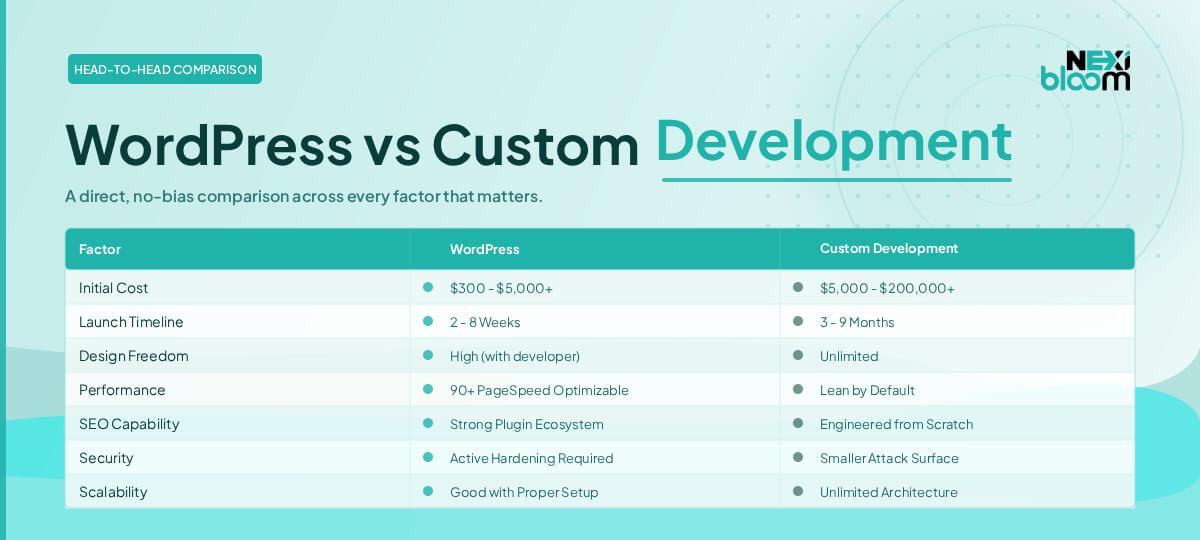
Here’s the myth worth busting: headless isn’t simply “WordPress but better.” It’s a different cost curve entirely, and a different editorial experience.
Structured content models and reusable components let editors work independently in a headless setup, publishing changes without waiting on a developer to redeploy anything. That’s a real operational win for larger teams. But that independence comes with friction WordPress editors never think about. In WordPress, what-you-see-is-what-you-get: you preview a post and it looks exactly like the live page, because the CMS is the renderer. In a headless setup, previewing a draft means the front end needs a dedicated preview mode that fetches unpublished content from the API – and if nobody built that feature, editors are publishing blind and hoping the layout holds. Budget for it explicitly; it’s easy to leave off the initial spec and painful to retrofit.
Headless also carries higher initial setup cost and complexity, because you’re building the presentation layer from scratch rather than inheriting a theme. Claims of a “9-24 month payback period” for the performance gains show up often in vendor marketing, but treat that range with scepticism – it depends heavily on your traffic volume, your starting Core Web Vitals baseline, and how much of that presentation layer you’re building versus buying off the shelf. The gains are real and measurable in principle, but the timeline is specific to your project, not a universal constant.
Migration is its own project, not a footnote. Moving from a coupled WordPress site to headless typically means auditing every content type, rebuilding templates as components, redirecting old URLs, and re-testing SEO signals that WordPress plugins previously handled automatically. That work doesn’t end at launch, either – ongoing maintenance now spans two systems instead of one: the CMS backend and the front-end codebase, each with its own dependencies, hosting bill and on-call responsibility. Connecting a headless CMS to your CRM, ERP or other systems typically requires specialised development work, and every extra integration adds governance and support overhead that someone has to own. If your team is small, that “someone” is often nobody, and that’s how technical debt starts. It’s a similar calculus to choosing tooling elsewhere in your stack – see our comparison of web scraping in PHP vs Python for another case where the “better” architecture isn’t automatically the right one for your team size.
The middle ground: hybrid WordPress
Before you assume it’s an either/or choice, know that WordPress itself now ships a REST API and supports GraphQL through plugins, which means you can run WordPress headlessly – keeping its familiar editorial interface and plugin ecosystem while serving content to a custom front end via API. This hybrid approach gives editors the WordPress admin screen they already know, avoids a from-scratch content-modelling exercise, and still lets developers build a fast, modern front end in React or Astro. You lose some of the “pure” headless flexibility (multi-channel publishing to wildly different platforms gets clunkier), but for a business that wants better performance and design freedom without retraining its content team or replacing its CMS, hybrid is often the pragmatic middle step – and a sensible place to prototype before committing to a full headless rebuild.
So which should you actually choose?
Choose WordPress if you’re running one website, need to publish fast, and don’t have a dedicated development team on retainer. Choose hybrid WordPress if your editors depend on the familiar admin screen but your front end needs more speed and design control than a theme can give you. Choose full headless if you’re feeding content to multiple channels, have the budget and in-house capacity for a proper build and ongoing dual-system maintenance, and expect enough traffic that Core Web Vitals gains will actually move revenue.
Back to that kitchen analogy: most businesses don’t need a commissary supplying five restaurants. They need one good restaurant, open on time, serving hot food. Know which one you’re running before you commit the budget.
If you’re weighing this decision for your own business, DRS Web Development builds custom websites and web applications for businesses of all sizes – including WordPress builds, hybrid setups and full headless architectures. Get in touch for a free consultation.
Frequently Asked Questions
Q: What does “headless CMS” mean?
A: A headless CMS stores and manages content but has no built-in front end. It delivers content via an API to whatever presentation layer you build, whether that’s a website, mobile app, or other digital touchpoint.
Q: Is a headless CMS more secure than WordPress?
A: Not automatically. Because it doesn’t directly serve your website, content can move through secure APIs while the provider manages the underlying infrastructure, which reduces one common attack surface. But security still depends heavily on how the API, authentication and front-end hosting are configured – a badly set up headless stack can be just as vulnerable as an unpatched WordPress install.
Q: Is WordPress still a good choice in 2026?
A: Yes, particularly for single-website businesses that need to publish quickly without a dedicated development team. It remains the fastest path to launch for most content-focused sites, and running it “headlessly” via its own API is a viable middle option too.
Q: How long does it take to see a return on a headless CMS investment?
A: Estimates vary widely, and figures like “9 to 24 months” seen in vendor material should be treated as rough benchmarks rather than guarantees. Your actual payback depends on current traffic, your Core Web Vitals baseline, and how much custom development the build requires.
Q: Can I switch from WordPress to headless later?
A: Yes, and it’s a common path, but budget for it as a proper migration project – auditing content types, rebuilding templates, redirecting URLs and re-testing SEO – rather than a simple settings change. Many businesses start with WordPress, then move to hybrid or full headless once they need to serve multiple channels or outgrow the constraints of a coupled system.
Source: https://richestsoft.com/blog/wordpress-vs-headless-cms/
This article was researched and written with AI assistance, then reviewed for accuracy and quality. Riya Shah uses AI tools to help produce content faster while maintaining editorial standards.
Need help with your web project?
From one-day launches to full-scale builds, DRS Web Development delivers modern, fast websites.