





Last updated: June 21, 2026
Your laptop can run 50 containers simultaneously using roughly the same memory as a single virtual machine [citation needed]. That single fact reshapes how you think about local development, staging environments, and production deployments – because the cost of spinning up a fresh, isolated environment drops from “minutes and gigabytes” to “seconds and megabytes.”
That shift is why developers who’ve spent years managing VMs are moving to containers. Not because containers are new – Docker launched in 2013 [citation needed] – but because the tooling finally makes containerisation practical for everyday work, not just platform teams at large organisations. If you’ve been putting off this Docker tutorial for beginners, the barrier is lower than you think.
What Docker Actually Is (and Why VMs Are Overkill)

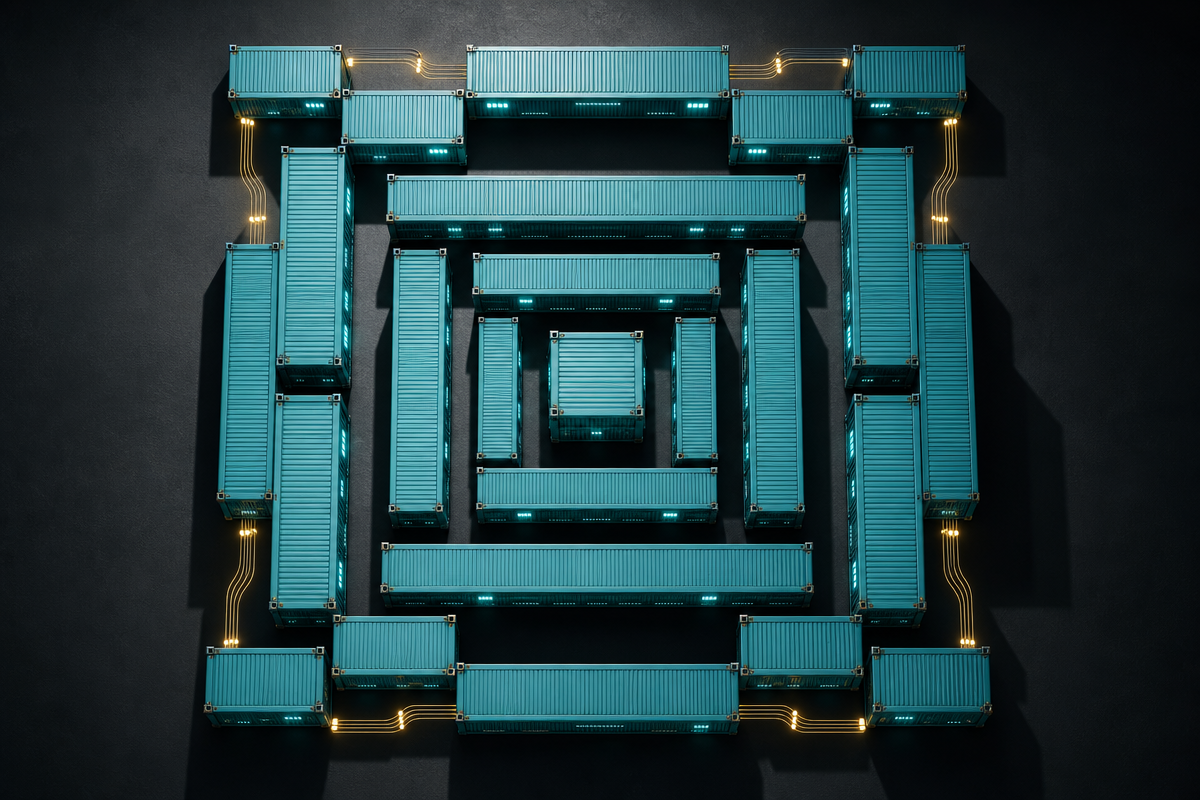
Image: Art Institute of Chicago
A virtual machine emulates an entire computer, including its own operating system kernel. Docker containers don’t. They share the host machine’s kernel and isolate only the application layer – filesystem, processes, network interfaces. Less abstraction means less overhead.
Think of it like this: a VM is a separate house with its own plumbing and electrics. A container is a self-contained flat in a shared building – its own walls and locks, but shared infrastructure underneath. You get the isolation you need without duplicating everything below it. Startup time drops from minutes to milliseconds. Resource consumption shrinks accordingly.
The core building blocks are two concepts: images and containers. An image is a read-only template – a snapshot of a filesystem and configuration. A container is a live, running instance of that image. The same image can spawn dozens of containers, each isolated from the others. You define an image using a Dockerfile: a plain-text file listing the build steps, the base image to start from, the files to copy in, and the command to run at startup.
Docker Tutorial for Beginners: Get Running in Under Ten Minutes
Installation is deliberately low-friction. On Linux, one command handles everything:
curl -fsSL https://get.docker.com | sudo bash
Windows and macOS users get Docker Desktop, which bundles the engine with a GUI. Either way, you’re minutes from a working environment.
Your first container is one line. docker run hello-world pulls a tiny image from Docker Hub – Docker’s public registry – and runs it locally. That single command demonstrates the full lifecycle: pull, create, run, exit. From there, move to something more useful: docker run -p 8080:80 nginx starts an Nginx web server, mapping port 8080 on your machine to port 80 inside the container.
For real applications, you’ll write a Dockerfile. A minimal one for a Node.js app might look like this: start from the official node:20-alpine image (small, well-maintained, regularly patched), copy your application code in, run npm install, then set the startup command. Build it with docker build -t my-app ., run it with docker run -p 3000:3000 my-app. The app runs identically on your laptop, your colleague’s machine, and the production server. Reproducibility by default.
Where things get interesting is Docker Compose. Most real applications aren’t a single process – they’re a web server, a database, a cache, maybe a background worker. Compose lets you define all of them in a single YAML file and start the whole stack with docker compose up -d. The -d flag runs everything in the background. One file, one command, full environment. This is the workflow that replaces hour-long VM setup guides and “works on my machine” debates.
If you’re coming from a Django background, the jump to containerised deployment is shorter than you’d expect – see Download Django for the underlying setup before wrapping it in a container. And for a broader orientation before diving into Compose files, Docker for Beginners: Everything You Need to Know covers the conceptual layer in more depth.
The Parts Most Docker Tutorials Skip
Two concepts separate beginners from practitioners: volumes and networking. Most introductions gloss over both – and that’s where production problems begin.
Volumes exist because containers are ephemeral by design. Stop a container and its filesystem disappears. Fine for a web server. Disastrous for a database. Docker volumes are storage that lives outside the container lifecycle – they persist when containers restart, upgrade, or are replaced. Mount a volume at a path: docker run -v my-data:/var/lib/postgresql/data postgres. The data survives. The container becomes replaceable. This “stateless container” pattern is not optional advice – it’s what makes deployments reliable.
Networking is where multi-container setups either click or confuse. By default, containers on the same Compose network reach each other by service name. Your web service connects to postgres:5432 without knowing the container’s IP address – Docker’s internal DNS handles it. For custom setups, docker network create my-network builds an isolated network you control explicitly.
You might think best practices only matter at scale. They don’t – they matter from day one. Use official images as your base layers: they’re maintained, patched, and audited. Keep containers stateless; push state into volumes or external services. Use .dockerignore to exclude node_modules, .git, and build artefacts from your image context. Monitor resource usage: a runaway container on a shared host produces failures that look completely unrelated to Docker.
One nuance worth flagging for teams making the move: containerisation changes your mental model more than your toolset. The question stops being “how do I configure this server?” and starts being “what does this service need to run anywhere?”
The surprising arithmetic from the opening – 50 containers, one machine’s worth of memory – stops being abstract once you’re running a full local stack with Compose. A database, a cache, an API server, a background worker, and a reverse proxy: all local, all isolated, all disposable when you’re done. That’s the practical win. Not theoretical overhead savings – actual developer hours recovered every week.
Docker is twelve years old. The reason it still dominates is that the core model – build once, run anywhere, discard cleanly – turns out to be the right abstraction for modern software delivery. Write your first Dockerfile this afternoon. For a broader look at the tooling shifts reshaping web development, the Apple WWDC – webdev perspective piece covers platform-level changes worth tracking alongside container workflows.
Frequently Asked Questions
Q: What is Docker and why should beginners care about it?
A: Docker is a containerisation platform that packages your application and all its dependencies into a portable, isolated unit called a container. It eliminates “works on my machine” problems and makes consistent development and production environments straightforward to set up and reproduce.
Q: How is Docker different from a virtual machine?
A: Virtual machines emulate an entire operating system including the kernel, consuming gigabytes of memory and taking minutes to start. Docker containers share the host machine’s kernel and isolate only the application layer, making them faster to start and far more lightweight – you can run dozens of containers where you’d struggle with a handful of VMs.
Q: What is a Dockerfile?
A: A Dockerfile is a plain-text file that defines how to build a Docker image. It specifies a base image to start from, files to copy in, commands to run during the build (such as installing dependencies), and the command to execute when the container starts.
Q: What is Docker Compose and do I need it?
A: Docker Compose is a tool that lets you define and manage multi-container applications using a single YAML configuration file, starting the entire stack with one command: docker compose up -d. For any real-world application with more than one service, it quickly becomes essential rather than optional.
Q: What are Docker volumes and why do they matter?
A: Docker volumes provide persistent storage that exists independently of any individual container’s lifecycle. Without them, data stored inside a container is lost when the container stops. Volumes keep your containers stateless and replaceable while preserving important data such as database files.
Source: https://zhuanlan.zhihu.com/p/1892960016316748037
This article was researched and written with AI assistance, then reviewed for accuracy and quality. Nia Campbell uses AI tools to help produce content faster while maintaining editorial standards.
Need help with your web project?
From one-day launches to full-scale builds, DRS Web Development delivers modern, fast websites.