




Last updated: March 25, 2026

Image: Smashing Magazine
A 100-millisecond delay in load time can reduce conversions by up to 7%. That statistic gets quoted in every performance meeting, plastered on every agency pitch deck, and cited whenever a developer needs to justify three days of refactoring. But here is the uncomfortable truth: you can score green across every Core Web Vitals metric and still have users abandoning your site in frustration. Speed targets and user delight are not the same thing. Bridging that gap is what serious web performance optimisation actually looks like in practice.
The question “how fast is fast enough?” sounds simple. It is not. The answer depends on what your users are doing, what they are expecting, and – critically – how your site behaves across the awkward middle ground between a perfect network connection and a 3G signal on a commuter train.
What Web Performance Optimisation Actually Measures
The short answer: it measures proxies, not feelings. Core Web Vitals – Google’s framework for quantifying page experience – give you three headline numbers. LCP (Largest Contentful Paint) measures how quickly the main content becomes visible. INP (Interaction to Next Paint, which replaced FID in 2024) measures how quickly the page responds to clicks and taps. CLS (Cumulative Layout Shift) measures how much the layout jumps around while loading. All three are measurable. None of them directly measures whether a user felt the page was fast.
That distinction matters because perception and measurement diverge all the time. A page can have a brilliant LCP score because the hero image loads fast – but if the navigation is still unresponsive for another two seconds, the user does not care about your LCP. Conversely, a page with a mediocre LCP but a skeleton screen (a placeholder layout that appears instantly) will often feel snappier than the numbers suggest. Skeleton screens are the web equivalent of a waiter saying “won’t be a moment” the second you sit down. The food hasn’t arrived, but the experience has already improved.
This is where resources like Smashing Magazine become genuinely useful for practitioners. With over 182,000 newsletter subscribers and deep coverage of performance, accessibility, CSS, and UX, it is one of the few places where the technical and human sides of front-end development are treated as inseparable. The recent coverage of the native Popover API – which lets you build tooltips and overlays without a third-party library – is a good example: fewer dependencies means faster parse times, which means better INP. That is web performance optimisation hiding inside a UX article.
When Good Scores Don’t Mean Happy Users
Hitting your targets and delighting users can actually conflict. Here is the classic example. Suppose you lazy-load every image below the fold. Your LCP improves because the browser is not competing to fetch off-screen resources. But when the user scrolls, images pop in with a visible delay. Technically faster. Perceptually worse. Before lazy-loading: everything loads together, page feels heavy. After lazy-loading: LCP improves, but scroll experience degrades unless you pair it with a low-resolution placeholder. The fix is not to abandon lazy-loading – it is to understand that each optimisation has a perceptual side-effect.
The same tension shows up in architectural decisions. The question of when to use a modal versus a separate page – a decision tree Smashing Magazine covers in depth – has direct performance implications. Modals keep users in context and avoid a full page load, which sounds faster. But a poorly implemented modal that blocks the main thread or triggers a large JavaScript bundle can produce a worse INP than a simple page navigation. The “right” answer depends on your specific bundle size, your users’ devices, and what they are trying to accomplish.
The broader point here connects to a shift Smashing Magazine’s Carrie Webster describes in her piece on AI-accelerated workflows: UX designers are moving from “makers of outputs to directors of intent.” That framing applies directly to performance work. Developers who just chase metric targets are making outputs. Developers who ask “what does this user need to feel like this is fast?” are directing intent. The latter is harder and more valuable. If you are planning a site overhaul with performance goals built in from the start, the 2026 Website Redesign Checklist: SEO & Conversions is worth keeping open alongside your Lighthouse reports.
The Nuances Most Practitioners Skip
The most commonly missed insight is that speed budgets should be task-specific, not page-specific. A checkout page needs a sub-2-second LCP because every extra second costs money directly. A long-form article page has more tolerance – users are settling in to read, not clicking through quickly. Setting a single site-wide performance threshold treats a product listing page and a blog post as equivalent. They are not.
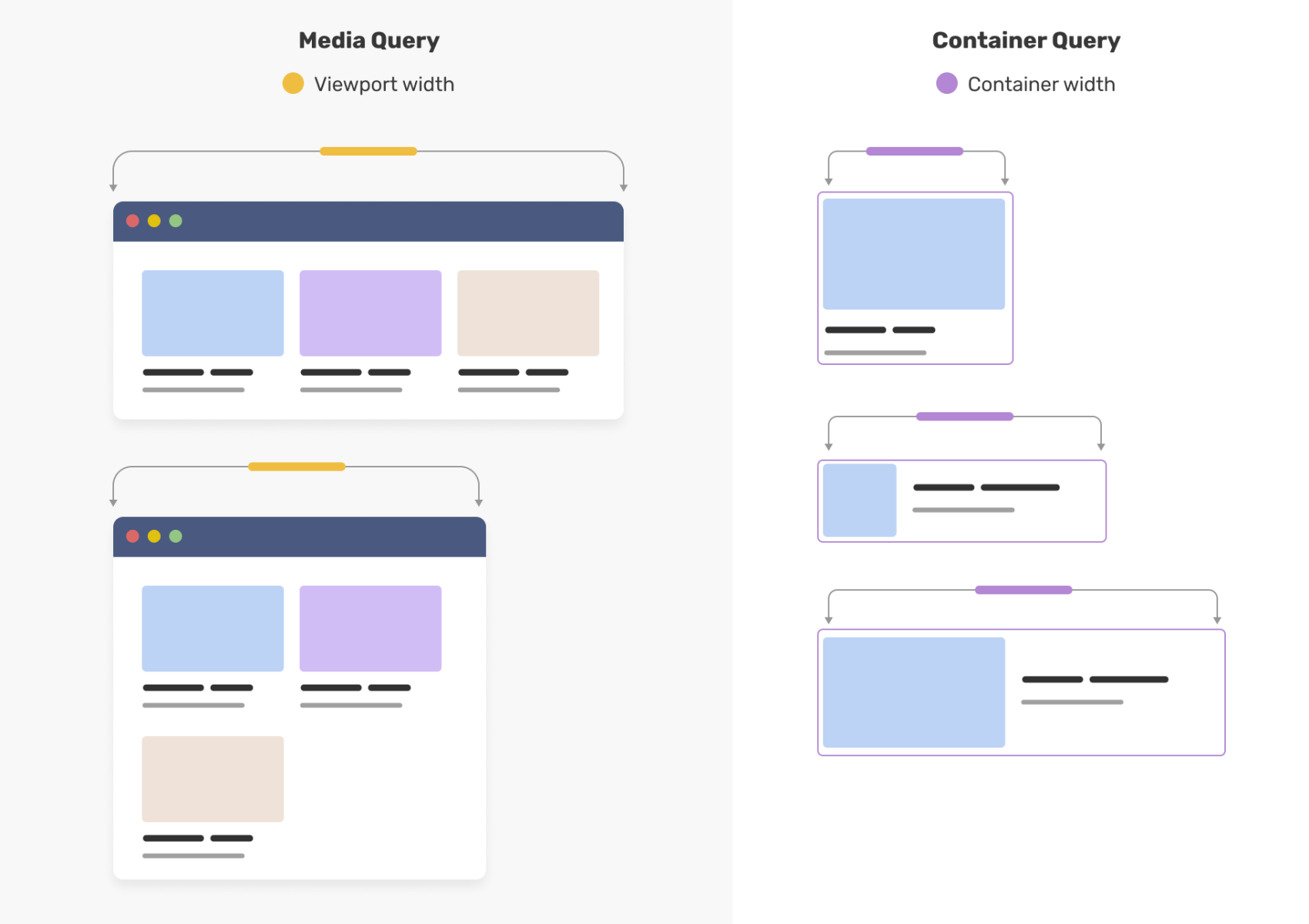
The second nuance is dependency weight. The Smashing Magazine community has been tracking the migration from Moment.js to the native JavaScript Temporal API as a genuine performance win – Moment is famously large for what it does, and Temporal provides the same date-handling capability at a fraction of the cost. Ditching one legacy dependency can shave more off your bundle than weeks of micro-optimisation. CSS improvements follow the same pattern: the new corner-shape property for bevelled and squircle-style corners means less reliance on SVG hacks or extra DOM nodes for purely decorative effects. Less markup. Faster paint. This connects to the broader trend of platform-native features replacing library code – something also visible in CSS Container Queries Are Finally Here, which replaced many JavaScript-based layout calculations overnight.
Accessibility deserves a mention here too, because accessible sites are almost always faster sites. Lean markup, logical structure, no layout-thrashing JavaScript – these serve screen-reader users and low-powered devices equally. Michele Williams’ Accessible UX Research, published by Smashing Magazine, makes the case that accessibility needs to be built into the entire design process rather than bolted on at the end. The same is true for performance. If you want a practical checklist for bringing accessibility into your workflow, 9 Steps to Navigate the DOJ Accessibility Ruling covers the compliance angle alongside the UX fundamentals.
So, how fast is fast enough? Fast enough is when your users stop noticing the speed and start noticing your content. That 100-millisecond statistic from the opening is real – but the deeper truth it points to is that the margin between “users convert” and “users leave” is not purely technical. It is perceptual. Hit your Core Web Vitals targets, yes. But pair every metric with a question: does this change make the experience feel better? If you are only answering to the numbers, you are halfway there at best.
If your site’s performance and user experience need a fresh pair of eyes, DRS Web Development builds custom websites and web applications for businesses of all sizes – from ground-up builds with performance baked in from day one to targeted audits of existing sites. Get in touch at drs-web.co.uk/contact for a free consultation.
Frequently Asked Questions
Q: What is the difference between Core Web Vitals and general web performance metrics?
A: Core Web Vitals are a specific set of three metrics defined by Google – LCP, INP, and CLS – that measure load speed, interactivity, and visual stability. General web performance metrics can include additional measures like Time to First Byte (TTFB) and total page weight, which Core Web Vitals do not directly capture.
Q: Can a site score well on Core Web Vitals and still feel slow to users?
A: Yes. Core Web Vitals measure specific technical thresholds, not perception. A site can pass all three metrics while still feeling sluggish if, for example, images load slowly on scroll or JavaScript blocks interaction at critical moments. Perceived performance – using techniques like skeleton screens – is a separate consideration from raw metric scores.
Q: How does reducing JavaScript dependencies improve web performance?
A: Smaller JavaScript bundles reduce parse and execution time, which directly improves INP and overall page responsiveness. Replacing large libraries – such as swapping Moment.js for the native Temporal API – can produce significant savings without changing functionality, and requires no trade-off in features.
Q: Should every page on a site have the same performance targets?
A: No. Performance budgets should be task-specific. High-conversion pages like checkout flows or lead-capture forms justify stricter targets because delays have immediate business cost. Content-heavy pages like articles or guides can tolerate slightly higher load times without the same impact on user behaviour.
Q: How does accessibility relate to web performance?
A: Accessible sites tend to be faster because they share the same foundations: lean, well-structured markup, minimal unnecessary JavaScript, and logical content hierarchies. Optimising for assistive technology users and optimising for slow network connections often require the same underlying fixes.
Source: https://www.smashingmagazine.com/
This article was researched and written with AI assistance, then reviewed for accuracy and quality. Riya Shah uses AI tools to help produce content faster while maintaining editorial standards.
Need help with your web project?
From one-day launches to full-scale builds, DRS Web Development delivers modern, fast websites.